
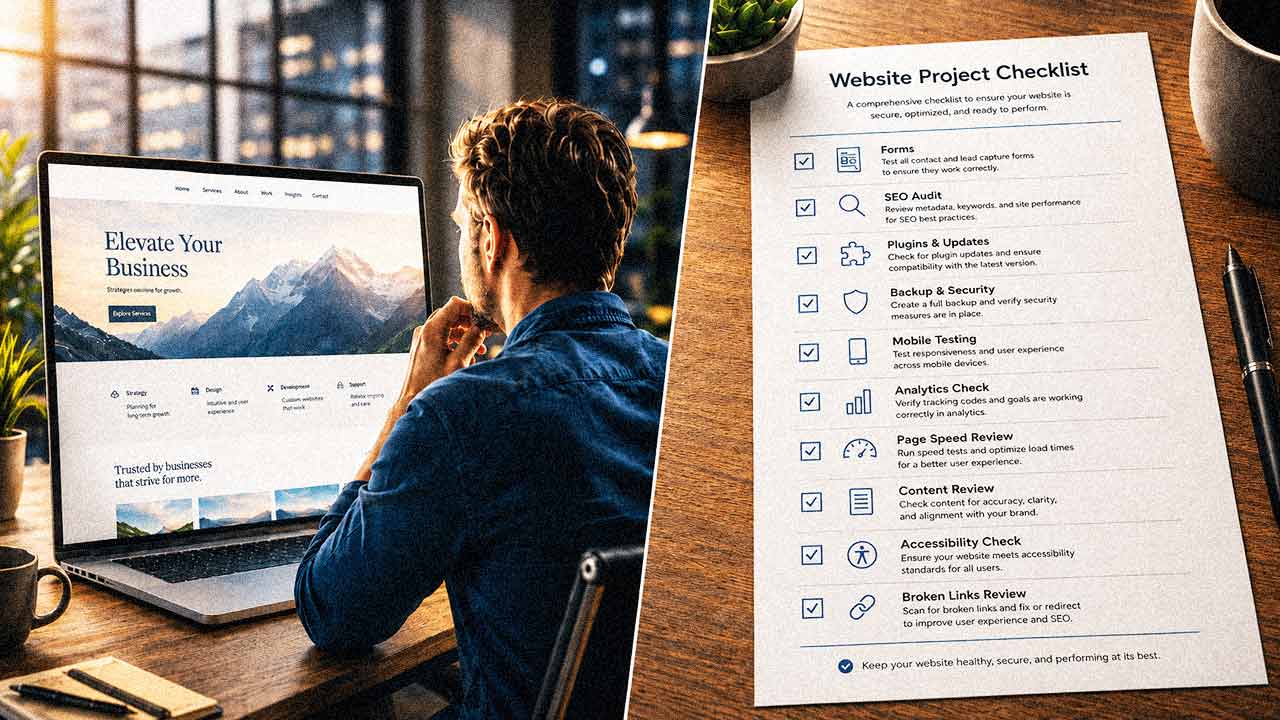
AI Is Reshaping Website Projects, but People Still Have to Make Them Work
The first version of a website is not the mountain it used to be.
A business owner can type a few sentences into an AI tool and get something that looks real. A homepage appears. The colors are in place. The buttons are there. The copy sounds polished enough to start a conversation.
For a company watching expenses, that feels like progress.
It is progress.
It is also where the confusion starts.
A mockup can make a website feel closer to finished than it really is. Search engines still have to crawl it. Staff members still have to update it. Forms still have to work when a customer is ready to reach out. Business information gets old faster than most owners expect.
AI can help create the draft. It cannot be responsible for the site.
AI Website Tools Change the Starting Point
The concern around AI and web design is not imaginary. Designers and developers are often named among the creative and technical workers most exposed to automation. A recent 20i survey of 500 U.S.-based website design professionals said 76 percent saw AI as a greater career threat than shrinking budgets. The report described the shift as more complicated than simple job loss. AI is changing the work; it's not erasing every reason to have experienced people involved.
20i Survey Highlights
- 75% of web designers report that AI-driven competition has already hit their business in the past year.
- 89% of designers say clients underestimate the true cost of web design, a gap fueled by AI tools promising “instant websites” and unrealistic timelines. Veteran web designers, those with over 10 years of experience, "feel this tension most acutely."
- Designers are prioritizing speed, flexibility, and direct-to-launch capability more than ever.
Business owners can see the change in a more practical way.
AI gives them something to react to instead of a blank screen. A company can sketch out a landing page, test a new service idea, or show staff what a redesign might feel like before anyone commits to a full build.
That can save time. It can also save money.
The harder task comes later, when the mockup becomes the page customers use and staff members have to maintain.
(Below) A practical comparison of prompt-based AI websites and WordPress-based websites, showing where each approach fits and where long-term website management becomes more important.
| Website Need | Prompt-Based AI Website | WordPress-Based Website |
|---|---|---|
| Speed to First Draft | Very fast. Useful for mockups, landing page concepts, and early visual direction. | Slower to start, but more controlled once the site structure is planned. |
| Best Use Case | Prototypes, temporary pages, internal demos, early-stage ideas, and simple microsites. | Business websites, service pages, blogs, local SEO sites, ecommerce, and long-term publishing. |
| Strategy | Can suggest ideas, but depends heavily on the quality of the prompt and the user’s judgment. | Supports a planned structure with pages, posts, menus, categories, SEO tools, and reusable workflows. |
| SEO Control | Often limited or inconsistent, especially for metadata, schema, redirects, sitemaps, and content structure. | Strong SEO control through plugins, page structure, redirects, sitemaps, schema, and publishing tools. |
| Content Updates | May be easy for simple edits, but can become awkward as the site grows. | Built for ongoing content management by owners, staff, editors, and web professionals. |
| Forms and Lead Capture | Can create form-like layouts, but reliability, routing, spam protection, and tracking may need extra work. | Mature form plugins and integrations make lead capture easier to manage and test. |
| Maintenance | Depends on the platform or generated code. Ownership and update paths may be unclear. | Clearer maintenance model for updates, backups, security, plugins, themes, and hosting. |
| Security | Requires careful review, especially if the site uses generated code, logins, databases, or integrations. | Still requires maintenance, but has established security tools, update processes, and support practices. |
| Ownership and Portability | Can vary widely. Some tools may make exporting or self-hosting difficult. | More portable and widely understood by hosts, developers, designers, and support providers. |
| Customization | Fast for surface-level changes, but deeper changes may require technical skill or repeated prompting. | Flexible through themes, page builders, plugins, custom code, and developer support. |
| Long-Term Support | May depend heavily on the AI platform, prompt history, or the person who generated it. | Easier to support because WordPress is widely used and familiar to many website professionals. |
| Business Risk | Looks finished quickly, but may hide problems in SEO, forms, security, analytics, or future editing. | More work upfront, but better suited for a website that needs to keep working over time. |
| Bottom Line | Best for getting an idea on screen quickly. | Best for running a serious business website long term. |
An AI Website Mockup Is Not a Business Website
Most AI website tools are strongest on what people can see. They can turn a rough idea into something visual enough to discuss. For a business owner who struggles to explain what they want, that can be a real help.
But what visitors see is only part of the job.
A company website needs someone who thinks beyond the layout. Which services deserve their own pages? What belongs on the homepage? How should the site support local search? What happens after a visitor fills out a form?
And, just as important, who checks whether the form worked?
AI can offer answers. It does not know the business history. It does not know which service brings in the best clients. It does not know how customers usually find the company or where the sales process gets messy. It does not know which shortcut today might create a problem six months from now.
WordPress Remains the Boring Advantage
WordPress can look old-fashioned next to a prompt box that promises a website in minutes. It has dashboards. It has plugins. It has settings and updates and the occasional maintenance chore that nobody puts in a sales demo.
Not glamorous. But it’s hard to replace.
WPZOOM reported that WordPress powered 41.9 percent of all websites in June 2026 and held 59.4 percent of the CMS market. The same report counted more than 65,000 free plugins in the WordPress.org directory and more than 30,000 available themes.
Those numbers help explain why WordPress remains practical after the launch excitement wears off. A company can add forms without rebuilding the site. It can publish articles. It can manage staff access. It can connect SEO tools, backup systems, ecommerce features, and security tools inside a familiar ecosystem.
A company can grow into WordPress. A webmaster can maintain it. Another website professional can usually understand it later.
A prompt-built site may be fast. A WordPress site, managed well, is easier to keep running.
Vibe-Coding Reviews Show the Limits of Prompt-Built Sites
WPBeginner, a major WordPress resource site for beginners, recently reviewed several “vibe-coding” website builders. These tools use AI prompts to generate layouts and content with little technical input. The appeal is easy to see. A quick site without a full development process.
In that review, Lovable could produce a simple site quickly. WPBeginner found it less convincing as the foundation for a serious small business website, especially one that needs payments, bookings, deeper SEO control, or WordPress-style integrations. The review described the tool as better suited to prototypes, personal pages, and simple microsites.
That is the line business owners need to see clearly. A prototype proves an idea. A company website has to support the business.
Website Risk Often Appears After Launch
The most serious website problems rarely announce themselves on launch day.
A contact form quietly stops sending. A plugin update throws off the mobile layout. A tracking code disappears. A staff member uploads a giant image, and the page slows down.
Somewhere in the background, a plugin nobody has checked develops a security issue.
AI can help troubleshoot some of this. It can explain an error message. It can suggest a fix. It can draft code or rewrite a section of copy.
Someone still has to notice the problem. Someone has to know whether the fix is safe. Someone has to decide whether the change helps the business or just makes the page look different.
Chris Marshall’s review of Lovable described building a working app in a few hours, but he also said much of the work involved repeated fixes, testing, and corrections. The most cautionary detail was a reported authentication issue where the tool removed access controls to solve a problem, creating a security concern that required human judgment to catch.
That is not a reason to avoid AI. It is a reason not to confuse AI output with professional oversight.
Webmaster Support Shifts Toward Oversight
The old image of a webmaster is someone who makes text edits and uploads photos. AI can help with those tasks now. Good. Nobody should pay premium rates for work that a better process can make faster.
The job is moving, but it has not disappeared.
A useful webmaster watches the parts that tend to move. They know what the site is supposed to do. They check the form after an update. They notice when a page gets slow. They understand when a request is just a design tweak and when it could create a business problem.
They can use AI. They should.
The better future is not human versus machine. It's a faster workflow with a human being responsible for the public-facing business asset.
What to Do With This
If your company is considering an AI-built website, start with the job the site has to perform.
A temporary landing page may be a good use of AI. So might an event page, an internal prototype, or a simple proof of concept. Those projects have a limited purpose. They do not always need a full website system behind them.
A business website asks more.
It has to bring in leads. It has to stay secure. It has to remain editable after the person who built it has moved on. It has to keep earning trust after the launch excitement is gone.
So, ask the practical questions before the site goes live.
Who owns the site? Who can edit it safely? Who checks the forms? Who manages SEO titles, redirects, backups, and updates? Who knows what changed if traffic drops? Who gets called when something breaks?
If no one has that responsibility, the website is not truly managed. It is just published, and it's likely to fall short of what the business actually needs.
AI makes starting easier. Running a real business website still requires someone accountable to make it work, keep it relevant, and protect it long after launch.




0 Comments