
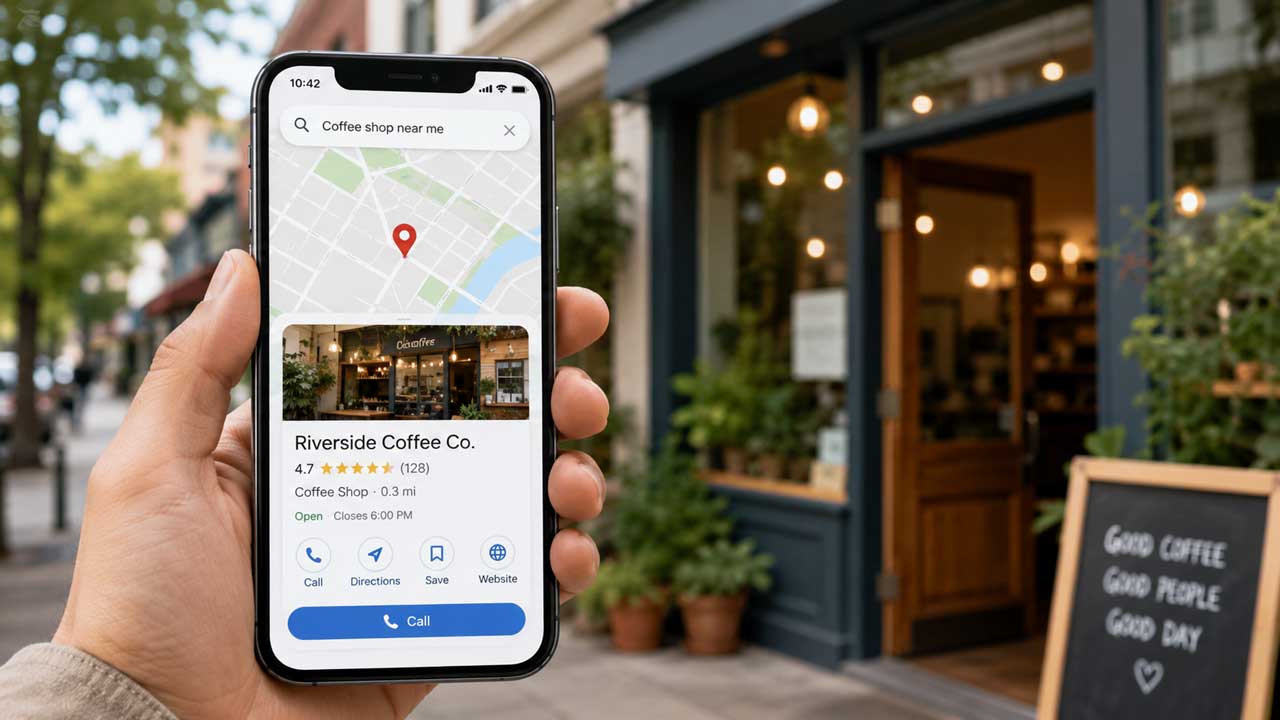
How a Simple Google Listing Helps Customers Find, Trust, and Contact Your Business
A customer looking for a dentist in Cleveland, a roofer in Phoenix, a coffee shop in Raleigh, or a dog groomer in Ogden may never start with a company’s website.
They open Google. They search. They scan the map.
The businesses that appear there get a brief chance to answer the questions that decide the next click. Are you open? Are you nearby? Do you answer the phone? Do people trust you? Does your work look real?
For small businesses almost anywhere, a Google Business Profile is one of the plainest pieces of online housekeeping. It is also one of the easiest to overlook. Google says a free Business Profile helps businesses show up on Google Search and Google Maps, and lets owners add photos, posts, offers, and other details customers use before they call or visit.
The profile is not a replacement for a website. It is the front window many customers see before they ever reach the website.
(Below) GGoogle shows sample views of how a customer may find a business and open its Business Profile. Click on an image to ge started with Google's Business Profile service.
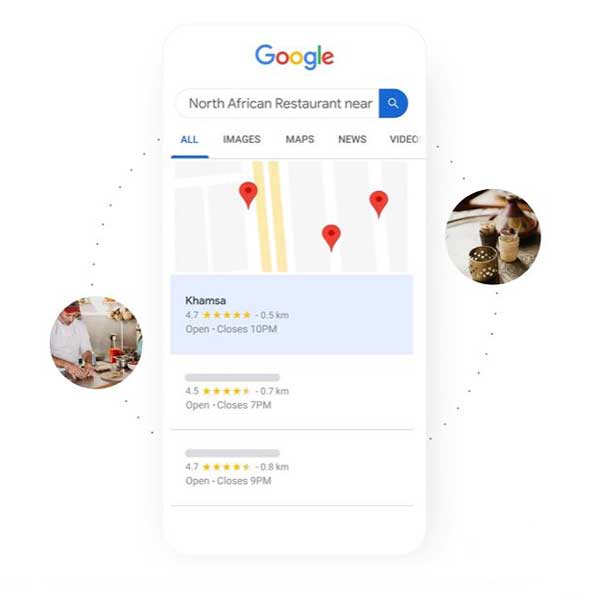
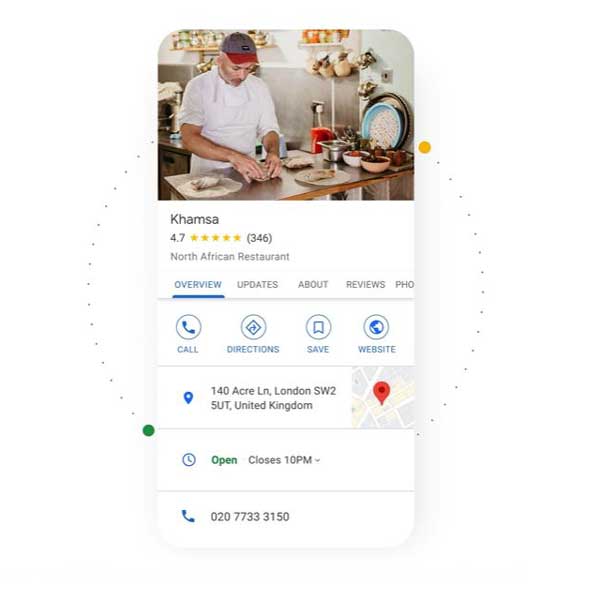
Local Search Starts Before the Website Visit
Business owners hear plenty about digital marketing. Social media calendars. Paid ads. AI search. Email funnels. Video. Short-form content. Every few months, another tool arrives with a little shimmer around it.
Those tools can help in the right setting. But the basics still carry a lot of weight.
A Google Business Profile gives Google a structured set of facts about a business. Name. Category. Address or service area. Hours. Phone number. Website. Photos. Services. Reviews. The clearer those details are, the easier it is for a customer to understand the business at a glance.
That glance is often enough to decide whether someone keeps looking.
A complete profile is especially useful for businesses that depend on local intent. Restaurants, repair companies, salons, contractors, medical offices, retail shops, nonprofits, fitness studios, and home-service providers all face the same quiet test. A customer nearby needs something, and Google becomes the first filter.
Google’s guidance says that after a business adds or claims and verifies a profile, customers can find it on Search and Maps, and the owner can control how business information appears on Google.
Control is the key word. Without a claimed profile, information may be thin, stale, or scattered. Customers may see old hours, missing photos, an outdated phone number, or no clear list of services. A business can be open and capable while its profile gives off the faint hum of neglect.
Accuracy Builds Trust Before the Call
The first job of a Business Profile is not decoration. It is accuracy.
A customer should not have to wonder whether a shop is open on Saturday, whether a plumber serves their neighborhood, or whether a cafe has moved from one side of town to another. Those small uncertainties create friction. Enough friction sends people elsewhere.
Google’s guidelines for representing a business say the profile should reflect the real-world business name, location, hours, and other details. Google also warns that guideline problems can lead to changes to information or removal of business information from Google.
That makes setup more than a marketing chore. It is part of how a business manages the public facts customers depend on.
For storefronts, the location should match the place customers can visit. For service-area businesses, such as a mobile mechanic, house cleaner, landscaper, or consultant, the profile can show a service area instead of a home address. The category should match the main work of the business, not every possible search term the owner would like to appear for.
The same restraint applies to photos and reviews. Real photos of the storefront, staff, vehicles, menu items, completed work, or office space usually say more than glossy stock images. Reviews should come from genuine customer experiences, not incentives or pressure. Google’s Business Profile policy hub states that violations can lead to restricted content or restricted access to the profile.
Trust grows from clean signals. A filled-out profile tells customers the business is active, reachable, and paying attention.
Business Profile Setup in Clear Steps
The setup process is not complicated, but it does require care.
Start at Google Business Profile and sign in with the Google account that should manage the business. Use an account the owner can keep, not a temporary employee’s personal login.
Search for the business name first. If Google already has a profile, claim it. If the profile is managed by someone else, Google’s ownership process allows an authorized person to request access through business.google.com/add, choose the business, and submit a request.
If there is no existing profile, add the business.
Enter the real business name. Do not stuff it with extra keywords, city names, or services that are not part of the actual name. Pick the primary category carefully. A bakery should not call itself a restaurant unless that is the clearest fit. A roofing contractor should not blur the category just to chase more searches.
Add the address if customers visit the location. If the business travels to customers, choose a service area. Add the phone number, website, regular hours, holiday hours, and a short description written for humans.
Then verify the profile. Google says verification methods are determined automatically and vary by business type, public information, region, and hours. In some cases, more than one verification method may be required.
Verification may involve phone, email, text, video, or another method available to that profile. Google’s video verification guidance says a recording may need to show key information about the business, depending on whether it has a storefront, serves customers at their location, or does both.
After verification, add services or products, upload photos, turn on messaging only if someone can respond, and check the profile from a customer’s view in Search and Maps.
Profile Upkeep Keeps the Listing Believable
A Business Profile should not sit untouched after setup.
Hours change. Staff changes. Services expand. Photos age. Reviews arrive. A profile that looked strong two years ago can start to feel brittle if nothing has been updated since.
The simplest maintenance rhythm is monthly. Check the phone number, website link, hours, service area, services, photos, and review responses. Add seasonal updates when they are useful. A restaurant may highlight specials. A landscaper may update spring services. A retailer may add holiday hours.
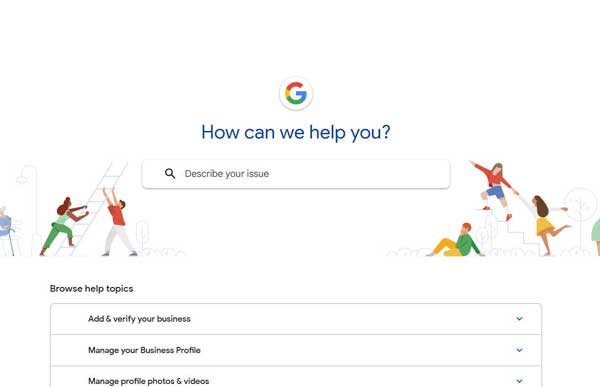
Google’s Business Profile Help Center includes tools for managing reviews, services, posts, photos, performance insights, and profile strength, which gives owners a way to keep the profile active instead of treating it as a one-time listing.
Click on the image below to visit Google’s Business Profile Help Center.
Reviews deserve steady attention. Thank customers when the review is positive. Respond calmly and specifically when the review is negative. Do not argue in public. Do not reveal private customer information. A good response shows future customers how the business handles pressure.
A customer has a simple test for any local business they are considering. Does the online profile match the business they will encounter?
If the answer is no, the fix should start with the facts.
A Practical Task with Real Local Consequences
A Google Business Profile will not rescue a weak business. It will not guarantee the top map result. It will not replace good service, clear pricing, a useful website, or word of mouth.
It can make a business easier to find and easier to trust at the exact moment someone is looking.
That is the practical value. Not glamour. Not a trick. Just the plain work of making sure Google Search and Google Maps have the right information, and customers have fewer reasons to hesitate.
For a local business owner, the next step is small enough to do this week. Search for the business on Google Maps. See the profile as a customer sees it. Claim it if needed. Verify it. Correct the weak spots. Add real photos. List the services clearly. Ask satisfied customers for honest reviews.
Then keep it current.
The reward is not abstract visibility. It is a better chance that the next person searching nearby sees a business that looks open, accurate, and ready to help.





0 Comments